Freelance Board
01
Problem
Freelancers need a fast, clear overview of their projects.
General-purpose tools like Notion can become cluttered when used for this single purpose.
This project was built within a 2-week timebox, so I focused on an MVP.
Features that were out of scope are listed under Future Updates.
Build a focused dashboard that minimizes distractions and highlights only the most relevant project information.
02
Solution
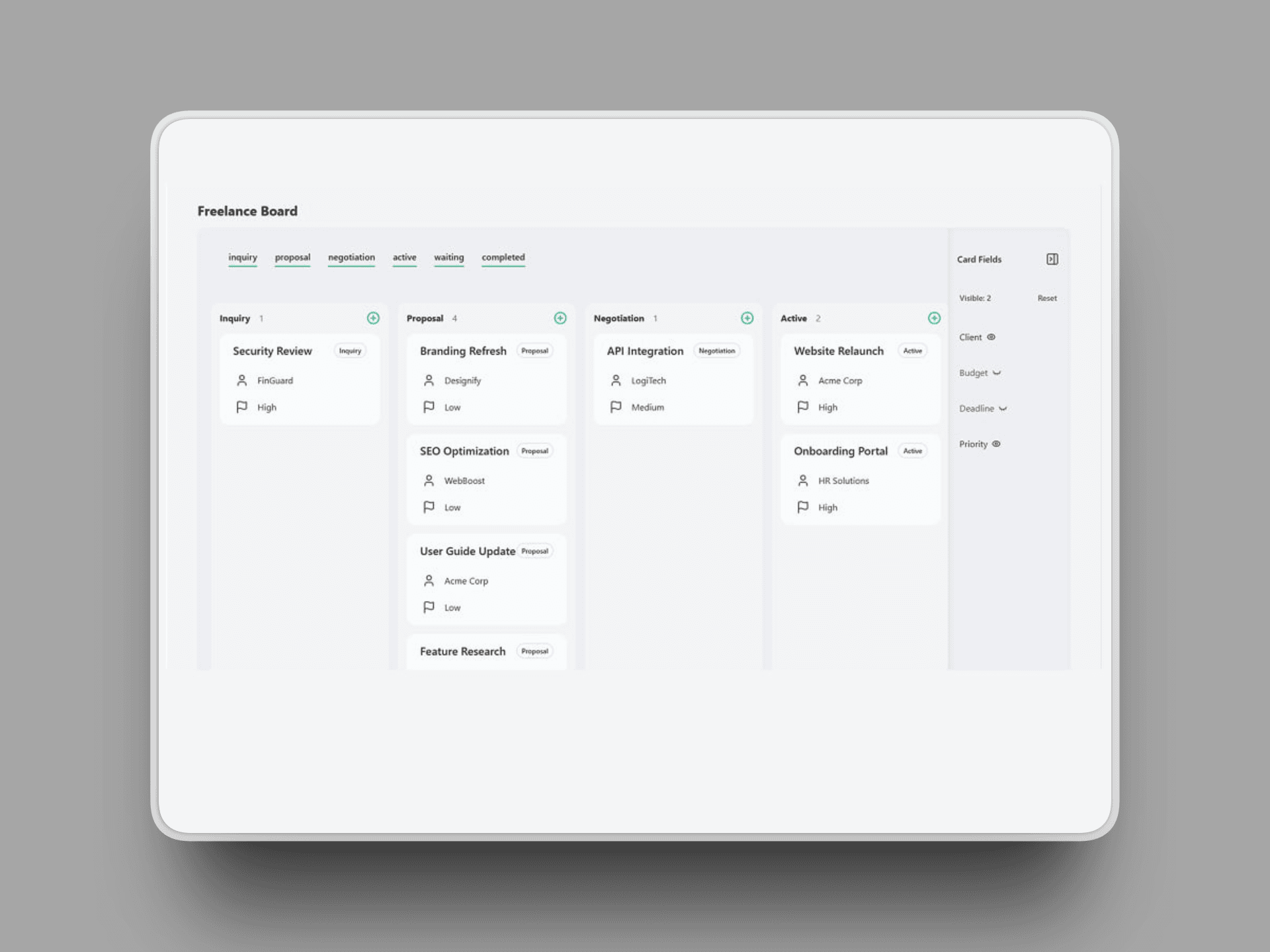
I built a minimalist Kanban board with clear status columns, project create/update flows, and quick filtering. The product is designed for daily use: fast entry creation and low interaction friction.
Key decisions:
- Keep interaction model simple and predictable for daily usage.
- Support both demo access (fast evaluation) and authenticated CRUD (real data flow).
Available features:
- Status filter bar to toggle visible columns
- Card field sidebar to toggle visible fields on cards
- Create cards
- Edit cards in a modal (direct in-board editing is planned for v2)
Outcome: The board enables faster project tracking and easier prioritization.
03
Architecture & Technical Decisions
I chose a layered architecture with UI, validation, domain, repository, and database layers. This structure improves maintainability and makes feature extensions easier.
Key decision
- Gateway implementation - provides a single interface for data access while hiding the active data source (Local Storage in demo mode, Supabase for authenticated users).
04
Challenges
1) Column overflow vs. board usability
Problem:
With a growing number of cards, columns exceeded the viewport height and lower cards became hard to reach.
Solution:
Keep global page scrolling as the only way to access lower cards.
Trade-off:
The page can become long.
Mitigation:
Card status remains visible on each card, so task state stays understandable even when headers are out of view.
2) Fast recruiter testing vs. protected CRUD
Problem:
Full CRUD requires authentication, which increases friction for recruiters who want to test quickly.
Solution:
I implemented a gateway approach that separates authenticated DB access from demo access.
Trade-off:
Demo mode does not fully prove the production repository flow by default.
Mitigation:
I added a fast magic-link sign-up so interested reviewers can test the real DB flow with only a few extra clicks.
05
Results
The board is live and fully functional. You can create projects, update their status, and filter by priority in seconds.
06
Learnings
- Keep interactions simple: Nested scrolling (page + column scroll) creates friction on Kanban boards. A single, predictable scroll direction is much clearer to use.
- Layered architecture helps with changes: Separating UI, domain logic, and data access made refactoring easier and reduced unexpected side effects when updating features.
07
Next Steps
- Drag & Drop: drag and drop cards through the columns
- Sorting Cards: Sort the cards in a column by a given field. Accessed through the sidebar
- Direct edit on board: Edit the card fields by clicking on the on the board without modal